

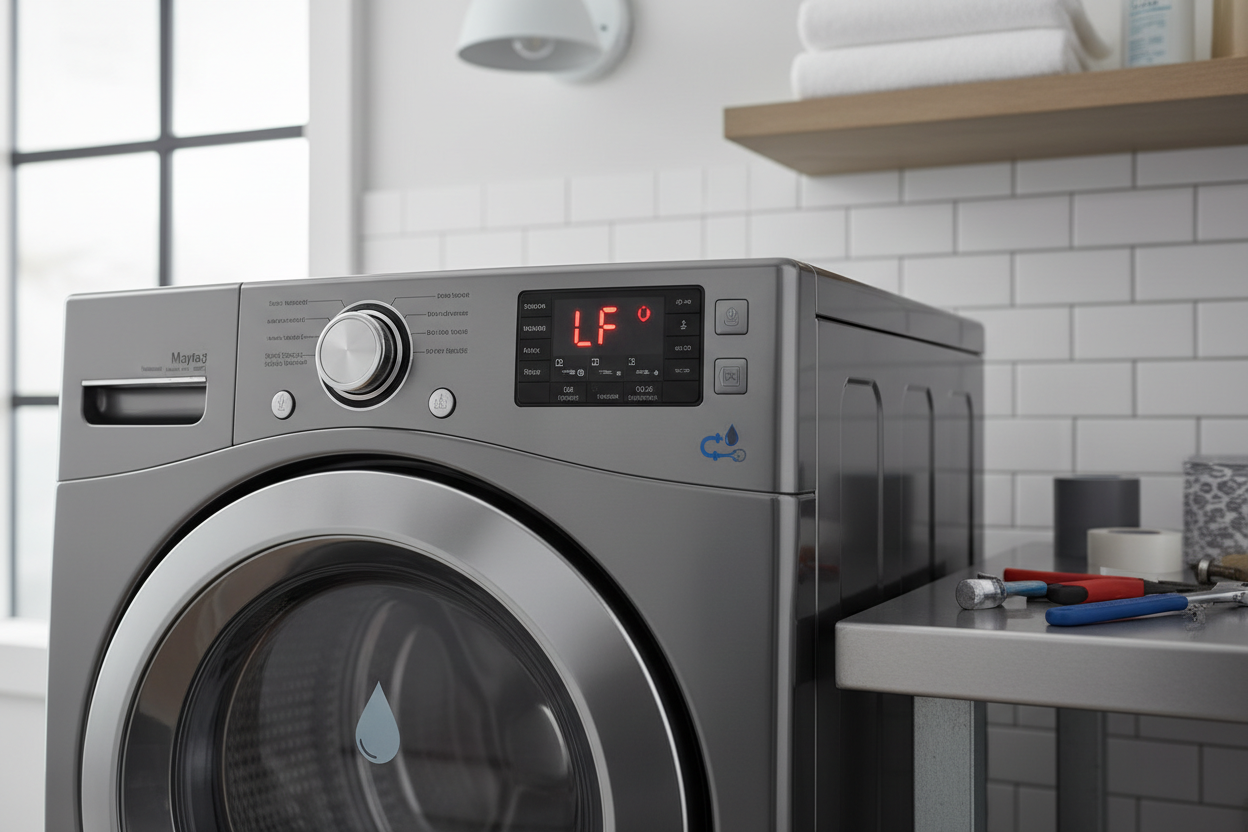
The LF error code on a Maytag washer means the machine is detecting a long fill time. This happens when the washer is not getting enough water within the expected timeframe, usually due to low water pressure, clogged inlet screens, faulty water inlet valves, or kinked hoses. Most LF errors can be fixed at home without calling a technician.
What Does the LF Error Code Mean on a Maytag Washer?
The LF error code stands for Long Fill. Your Maytag washer is programmed to fill with water within a specific time window. When it fails to reach the proper water level in that window, the control board throws the LF code and pauses the cycle.
This error typically appears after the washer has been trying to fill for over 10 minutes. It is not a random glitch.
The washer is telling you something is restricting water flow into the drum. If you ignore this code and keep resetting the machine, you are masking the root cause, and the problem will come back.
- The washer starts a cycle and begins filling
- Water trickles in slowly or barely flows
- After several minutes, the LF code appears on the display
- The cycle stops and the washer may drain
What Causes the LF Error Code on a Maytag Washer?
The LF error is almost always a water supply issue. Here are the most common causes ranked by how frequently I see them in the field.
1. Clogged Inlet Valve Screens
This is the number one cause I encounter. Tiny mesh screens sit inside the water inlet valve where the hoses connect.
Over time, sediment, mineral deposits, and debris from your home water supply clog these screens. Even a partially clogged screen will reduce water flow enough to trigger the LF code.
Many homeowners do not realize these screens exist. If you have hard water or an older plumbing system, these screens should be checked and cleaned at least once a year.
2. Kinked or Crushed Hoses
Pull your washer away from the wall and inspect both the hot and cold water hoses. If the washer was pushed back too far after installation, the hoses can get pinched. Even a slight kink reduces flow dramatically.
This is especially common with rubber hoses. Braided stainless steel hoses resist kinking better but are not immune.
3. Low Household Water Pressure
Maytag washers require a minimum of 20 PSI to function correctly. If your home water pressure is below this threshold, the washer cannot fill fast enough.
You can test this with a simple pressure gauge attached to your hose bib. Low pressure can result from municipal supply issues, a failing pressure regulator, or partially closed shut-off valves.
4. Faulty Water Inlet Valve
The water inlet valve is an electrically controlled valve that opens to let water into the washer. When this valve fails, it may not open fully or may open intermittently. This is less common than clogged screens, but if cleaning the screens does not resolve the issue, the valve itself is likely the culprit.
5. Defective Water Level Pressure Switch or Hose
The pressure switch tells the control board when the washer has enough water. A faulty switch or a cracked air hose connected to it can give false readings.
The washer may think it has not filled even when it has. This is a less common cause of the LF code but worth checking if everything else looks normal.
How to Fix the LF Error Code on Maytag Washer Step by Step
Follow these steps in order. Most LF errors will be resolved by step 2 or 3.
Step 1: Check the Water Supply Valves
Make sure both hot and cold water shut-off valves behind the washer are fully open. Sometimes these get bumped or partially closed during cleaning or moving the washer. Turn them counterclockwise until they stop to ensure full flow.
Step 2: Inspect and Clean the Inlet Valve Screens
This is the most effective fix for the majority of LF errors.
- Turn off both water supply valves
- Disconnect the hot and cold hoses from the back of the washer
- Look inside the valve ports for the small mesh screens
- Use needle-nose pliers or a small flathead screwdriver to carefully remove them
- Rinse the screens under running water and use a soft brush to remove debris
- Soak the screens in white vinegar for 15 minutes if there is heavy mineral buildup
- Reinstall the screens and reconnect the hoses
- Turn the water back on and run a test cycle
Step 3: Check the Hoses for Kinks or Damage
Pull the washer out far enough to see the full length of both hoses. Straighten any kinks and replace hoses that show signs of cracking, bulging, or wear. I recommend replacing rubber hoses every 3 to 5 years regardless of visible damage.
Step 4: Reset the Washer
After correcting the water supply issue, perform a full reset. Unplug the washer for one minute, then plug it back in.
Some models require you to open and close the lid six times within 12 seconds to reset the diagnostic system. Check your owner manual for the specific reset sequence for your model.
Step 5: Run a Diagnostic Test
Many Maytag washers have a built-in diagnostic mode. This mode tests each component individually and can pinpoint whether the inlet valve, pressure switch, or another part is causing the failure. Consult your model-specific tech sheet, usually found taped inside the washer cabinet or behind the front panel.
Maytag Washer LF Code Solutions by Model
Different Maytag washer models can have slightly different causes and fixes. Here is a breakdown of what I see most often across popular models.
| Model Series | Common Cause | Recommended Fix |
|---|---|---|
| Maytag Bravos MVWX | Clogged inlet screens or faulty pressure switch | Clean screens, check pressure hose for cracks |
| Maytag Centennial MVWC | Slow fill due to low pressure or kinked hoses | Check shut-off valves, replace old rubber hoses |
| Maytag Maxima MHW | Failed inlet valve assembly | Test valve with multimeter, replace if no continuity |
| Maytag Commercial MVWP | Sediment buildup in screens from heavy use | Deep clean screens, install inline water filter |
LF Error Code That Won’t Go Away – Advanced Troubleshooting
If you have cleaned the screens, checked the hoses, confirmed adequate water pressure, and the LF code still comes back, the problem is likely deeper in the machine.
Testing the Water Inlet Valve with a Multimeter
Disconnect the washer from power. Locate the inlet valve solenoid terminals and set your multimeter to the ohms setting. A healthy valve will read between 500 and 1500 ohms depending on the model.
An open or zero reading means the valve is burned out and must be replaced. Replacement valves cost between 25 and 60 dollars and are available from most parts suppliers.
Inspecting the Pressure Switch System
The pressure switch connects to a small rubber or plastic air hose that runs down to the washer tub. Check this hose for cracks, holes, or disconnections. If the hose is damaged, the switch cannot accurately detect water level.
Also blow gently into the hose to verify it is not clogged. Replace any damaged hose or switch immediately.
Control Board Issues
In rare cases, the main control board itself may be malfunctioning. A damaged board can misread signals from the pressure switch or fail to send proper voltage to the inlet valve.
If all other components test normal, the board may need replacement. This is an expensive repair, typically 150 to 300 dollars for the part alone, so exhaust all other possibilities first.
FAQ
Can I still use my Maytag washer if the LF code appears?
No. The washer will not complete a cycle with the LF code active.
The machine is designed to protect itself from running dry, which can damage the motor, bearings, and drum. Fix the underlying issue before attempting another cycle.
Does the LF error mean my Maytag washer is broken?
Not necessarily. Most LF errors are caused by external factors like clogged screens, kinked hoses, or low water pressure.
These are all easily fixable without replacing any washer parts. Only a small percentage of LF errors point to a failed inlet valve or pressure switch.
How much does it cost to fix the LF error on a Maytag washer?
If the fix is a clogged screen or kinked hose, the cost is zero. A new water inlet valve costs 25 to 60 dollars for the part.
Hiring a technician typically runs 150 to 300 dollars including parts and labor. Always try the free fixes first before paying for a service call.
Why does my Maytag washer show the LF code only on the hot water setting?
This points to a problem specific to the hot water side. Check the hot water shut-off valve first.
Then inspect the hot water inlet screen. If you do not use hot water frequently, sediment may have built up in that specific screen faster than the cold water side.
Can hard water cause the LF error code?
Yes. Hard water causes mineral scale to accumulate on the inlet screens faster than soft water.
Over time, this buildup narrows the openings and restricts flow. If you have hard water, consider installing a whole-house water softener or at minimum cleaning the screens every 6 months.
Final Thoughts
The LF error code on a Maytag washer is frustrating but almost always solvable without a professional. Start with the simplest checks like shut-off valves and hose condition, then move to cleaning the inlet screens. Most homeowners resolve the issue within 30 minutes using basic tools.
If the error persists after addressing all the common causes, test the inlet valve and pressure switch with a multimeter before spending money on a service call. Understanding what your washer is telling you saves both time and money.
[…] For a detailed step-by-step walkthrough on resolving this specific code, see our complete guide on the maytag washer LF error code. […]